
The core idea
Use unique passwords where needed, supported passkeys or strong second-factor protection, a secure device and a workable recovery plan. These measures protect different parts of account access; one does not automatically replace every other safeguard.
1. A password is a secret with a job
A service uses sign-in information to decide whether to grant access to an account. A password should be hard to guess and different from passwords used elsewhere. Complexity alone is insufficient if you reuse the same secret: a leak at one service gives an attacker something to try at others. Avoid personal facts such as your birthday, school name or public phone number. A reputable password manager can create and store different long passwords, reducing the temptation to reuse one. Protect the manager itself with its supported security and recovery measures. Never copy a published example password into a real account; once published it is no longer a private choice. In this lesson, write labels such as “unique password stored securely,” not the actual password or a slightly disguised version.

2. A second factor checks a different thing
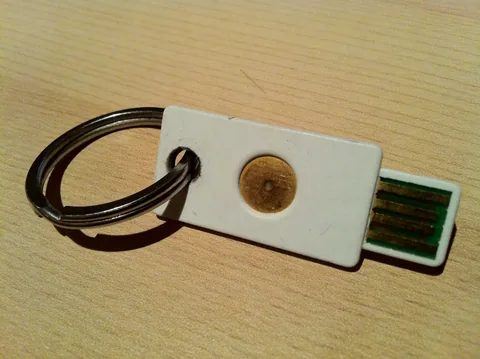
Two-step verification can require an additional check when a password is used. The check may involve an authenticator, a trusted device prompt or another supported method. Knowing a stolen password then may not be enough to enter. However, a one-time code can still be stolen by a convincing fake page, and an unexpected approval prompt can trick someone into authorising a stranger. Read what the prompt is asking and approve only a sign-in you initiated. Do not give codes to someone who calls themselves technical support. A message arriving on your phone is not proof that the caller is legitimate. Supported passkeys and security keys provide stronger phishing resistance than codes in relevant sign-in flows. Choose methods actually supported by the service and keep the recovery route understandable.
Sources: Google: Two-step verification ↗
3. What a passkey changes
A passkey lets a supported service verify a sign-in through a credential managed by your device or credential provider, instead of asking you to type a reusable password into a webpage. You unlock its use with a screen lock, fingerprint or other supported method. That screen-lock PIN is not the passkey itself, and it should not be sent to the website or to a helper. Google states that biometric information used for its passkey sign-in remains on the device. Passkeys are designed to resist password-style phishing, but they do not make an unlocked shared device safe or make every message genuine. Some passkeys can be available through a credential provider across devices; others may be tied to a particular device or security key. Learn your provider's recovery process before depending on a single device.
Sources: Google: Sign in with a passkey ↗ · Google: Two-step verification ↗
4. Worked scenario: one leak, several accounts
Nikhil used one password for a study forum, email and a shopping account. He receives a credible notice that the forum had a security incident. His email may not have been breached, but the reused password creates a route into it. He independently opens the affected services rather than following links in the alert. He replaces reused passwords with unique ones, prioritising email because other accounts may send recovery links there. He checks account activity, recovery contacts and unfamiliar signed-in devices, and enables supported additional protection. Changing only the forum password leaves the other reused copies exposed. The reasoning is about connected access: control of a recovery mailbox can help an intruder reset other accounts. A strong new password also cannot explain away an unknown recovery address; that setting needs attention too.
Protect three different access needs
| Need | Method | Why it matters |
|---|---|---|
| Everyday sign-in | Unique password or supported passkey | A reused secret can expose several accounts. |
| Extra verification | Supported second factor; reject unexpected prompts | A stolen password alone may be insufficient. |
| Device loss | Current recovery contacts and separately stored backup method | The only recovery method should not disappear with the phone. |
Sources: Google: Strong passwords and account recovery ↗ · Google: Two-step verification ↗
6. Prepare for loss before it happens
A recovery plan answers what you will do if your phone is unavailable, not just how you sign in today. Check that recovery contacts are yours and current. Where a service offers backup codes, store them securely away from the device whose loss would block access; treat them as secrets. Understand whether a school account requires an administrator's help. Keep operating systems and browsers updated, lock devices and avoid sharing the screen-lock code that authorises sensitive actions. If an account seems compromised, use the provider's official recovery and security process from a trusted device, review sessions and settings, and warn affected contacts through a separate trusted channel if impersonation occurred. There is no universal button that guarantees recovery. Do not pay a stranger who promises to bypass the provider's verification.
Sources: Google: Strong passwords and account recovery ↗ · Google: Two-step verification ↗ · CERT-In: Digital Safety Compass Handbook ↗
PUT IT INTO PRACTICE
Map account access without recording secrets
- On paper, list three fictional accounts: email, study portal and shopping. Draw which one receives recovery messages for the others. Do not list real addresses or passwords.
- Mark a unique-password plan and a supported passkey or second-factor option for each. Identify which credentials must never be saved on a shared computer.
- Imagine the phone is lost. Write the official recovery route and where a separately stored backup method would be found, without writing the secret itself.
- Solution reasoning: email deserves particular protection when it resets other accounts. Unique secrets limit reuse damage; the second factor checks another condition; an independent recovery method addresses device loss. Check all three jobs separately.
Check your understanding
Why is a complicated reused password still risky?
A leak supplies the same secret to try elsewhere. Complexity helps against guessing; uniqueness limits damage from reuse.
Should an unexpected approval prompt be accepted to make it disappear?
No. It may authorise another person. Reject a request you did not initiate and inspect the account through its official settings.
Is a phone PIN the same thing as a passkey?
No. The PIN may unlock use of the credential on the device. It should not be typed into a website because a caller requests it.
Why avoid creating a personal passkey on a shared device?
Someone who can unlock that device may be able to use it to access your account. The device access boundary matters.
Why does email protection affect other accounts?
Many services send recovery messages there. An intruder controlling that mailbox may gain a route to reset other accounts.
Why store a recovery method separately from the phone?
If both the account access and its only backup are on the lost device, neither is available when needed.